
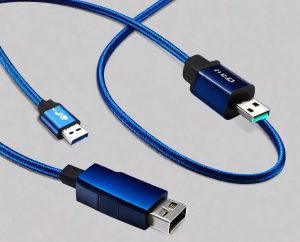
The USB-C (Type-C) cable is a modern universal connector and cable for charging, data and video transfer that features a symmetrical plug that can be inserted either side. It replaces old USB ports, provides high data transfer speeds (up to 40 Gbps) and power, and can transmit audio/video signals, becoming a single standard for many devices.
Key features of USB-C:
- Reversible design. The plug can be inserted either way, there is no “wrong” position.
- Versatility. Suitable for charging, data synchronization, and video output (DisplayPort, HDMI via adapter).
- High speed. Supports USB 3.1, 3.2, and Thunderbolt 3/4 standards, allowing for speeds of up to 40 Gbps.
- Power. It is capable of transmitting considerable power (up to 100 W or more), which allows you to charge even laptops.
- Compactness. Smaller than standard USB-A connectors.
Key standards and protocols.
- USB 2.0, 3.x and USB4
Standards for data transfer. USB 2.0 operates at speeds of up to 480 Mbps, suitable only for simple tasks such as charging. USB 3.2 Gen 2 accelerates up to 10 Gbps, which is enough to quickly copy files from an external drive. And the top-of-the-line USB4 reaches 40 Gbps, which is comparable to Thunderbolt 3.
- Power Delivery (PD)
Type-C fast charging technology. Standard charging delivers 2.5W, while Power Delivery can deliver up to 100W. This is enough to power most laptops.
- DisplayPort Alt Mode
Allows you to output video through the same cable. You can connect a monitor with a resolution of up to 4K or even 8K if your device supports the required version of the standard
- Thunderbolt 4
A state-of-the-art protocol that combines high data transfer speeds (40 Gbps), powerful charging, and support for multiple monitors simultaneously.
However, it should be remembered that the presence of a Type-C port in a device does not guarantee support for all features. A budget smartphone may have a USB-C port, but it can only work with the USB 2.0 standard without fast charging. An expensive laptop will support all protocols at once. Therefore, it is important to study the features of a particular device.
How does Type-C work?
It all starts with the exchange of information between the power supply and the device to be charged as soon as the cable is connected to the device.
Then the USB Power Delivery (USB PD) protocol is communicated and a power profile is determined. This allows the gadgets to determine what charging power can be used and what current should be transferred.
Next, the USB PD interaction protocol comes into play, which is responsible for alternative modes and the correct choice of the power supply circuit for the devices. This allows you to make the process of charging devices safe and preserve the battery of your gadgets for the longest time.
How to choose the right cable?
If you’re choosing a cable for the Type-C connector, you should take into account some features to avoid damaging your gadget and spending extra money;
- You need to consider the tasks for which it will be used and remember that the length of Type-C and USB generation cables affect the data transfer rate;
- The longer the wire, the slower the data exchange speed, so for fast data transfer, it is recommended to choose cables less than 1 m long, and preferably up to 40-45 cm;
- USB Type-C 3.1 Gen 1 provides data transfer at speeds up to 5 Gbps;
- via USB Type-C 3.1 Gen 2, devices can exchange information at speeds of up to 10 Gbps, and in Thunderbolt mode – up to 40 Gbps (and its length should not exceed 45 cm);
- The USB-C connector on laptops, accompanied by a lightning bolt, is a Thunderbolt interface. It is compatible with USB 4.0, Thunderbolt 3 and 4 protocols and allows you to connect external monitors via DisplayPort or HDMI;
- Another important parameter is the level of supported power. After all, a smartphone and a laptop require completely different currents (1.5, 3A, 5A) and voltages (up to 20V).
It is better to choose original charging cables to charge your gadgets. It is not advisable to choose little-known brands, as this may affect performance or damage your devices.
What can I connect via USB-C?
Modern devices are increasingly abandoning separate power supplies and relying solely on USB-C. Today, a USB-C (or Type-C) cable can do much more than just charge your phone or transfer data. Thanks to the Power Delivery standard, it can deliver tens of watts of power, making it a versatile power source for a wide variety of gadgets.
For example:
- portable monitors;
- soldering irons;
- AA and AAA batteries;
- plasma arc lighters;
- portable coffee makers;
- phones;
- laptops and other devices.
So, with a number of major tech companies such as Apple, HP, and Dell equipping their new products with the USB-C connector, it is likely to become the new industry standard connector for transferring power and data over a single cable.
